
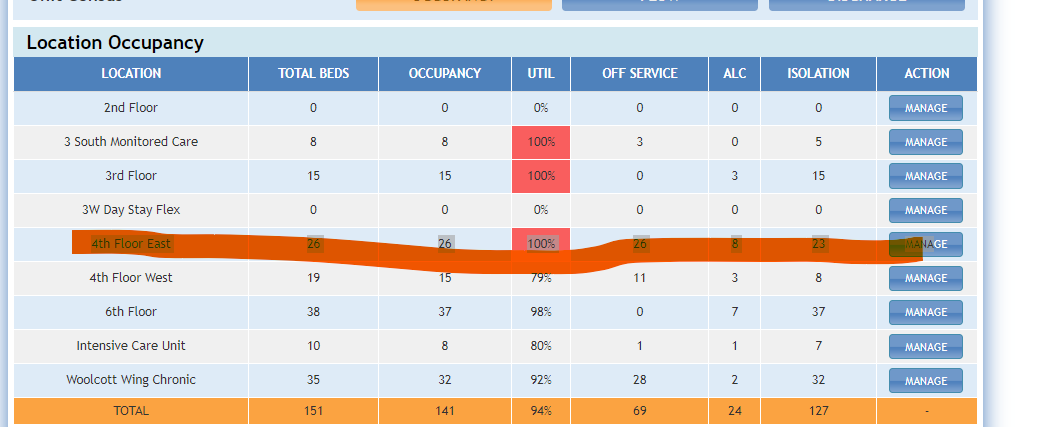
Once finished creating the unit and adding the beds in the portal
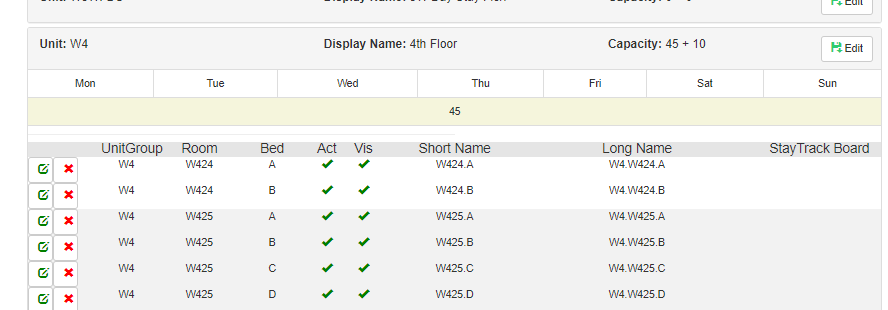
Then in Raven DB under performance >Census Configuration> Then relevant hospital census config DB (Ex: NHS WHS)
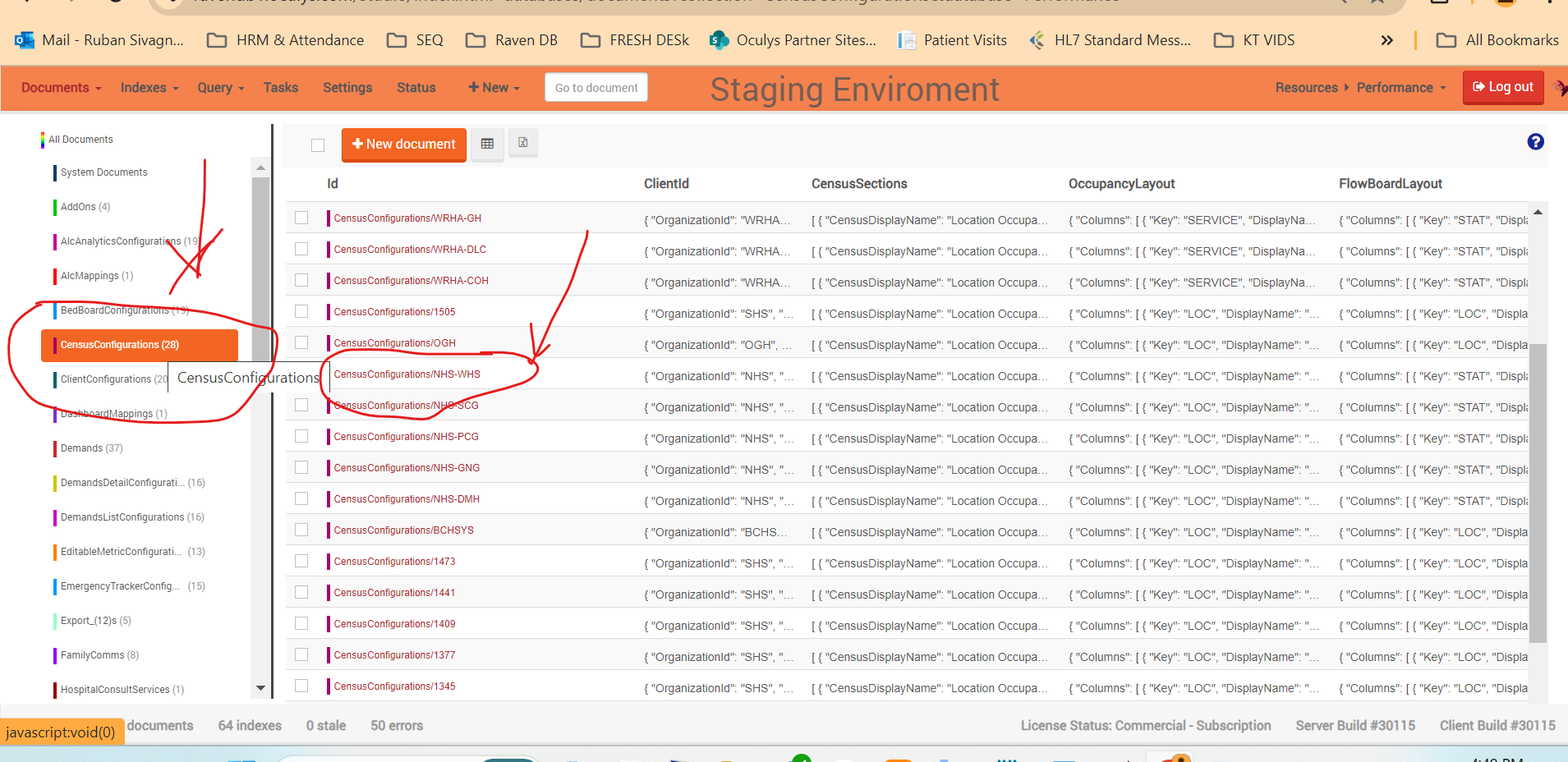
Arrange the order as per Alphabetical/Numerical order
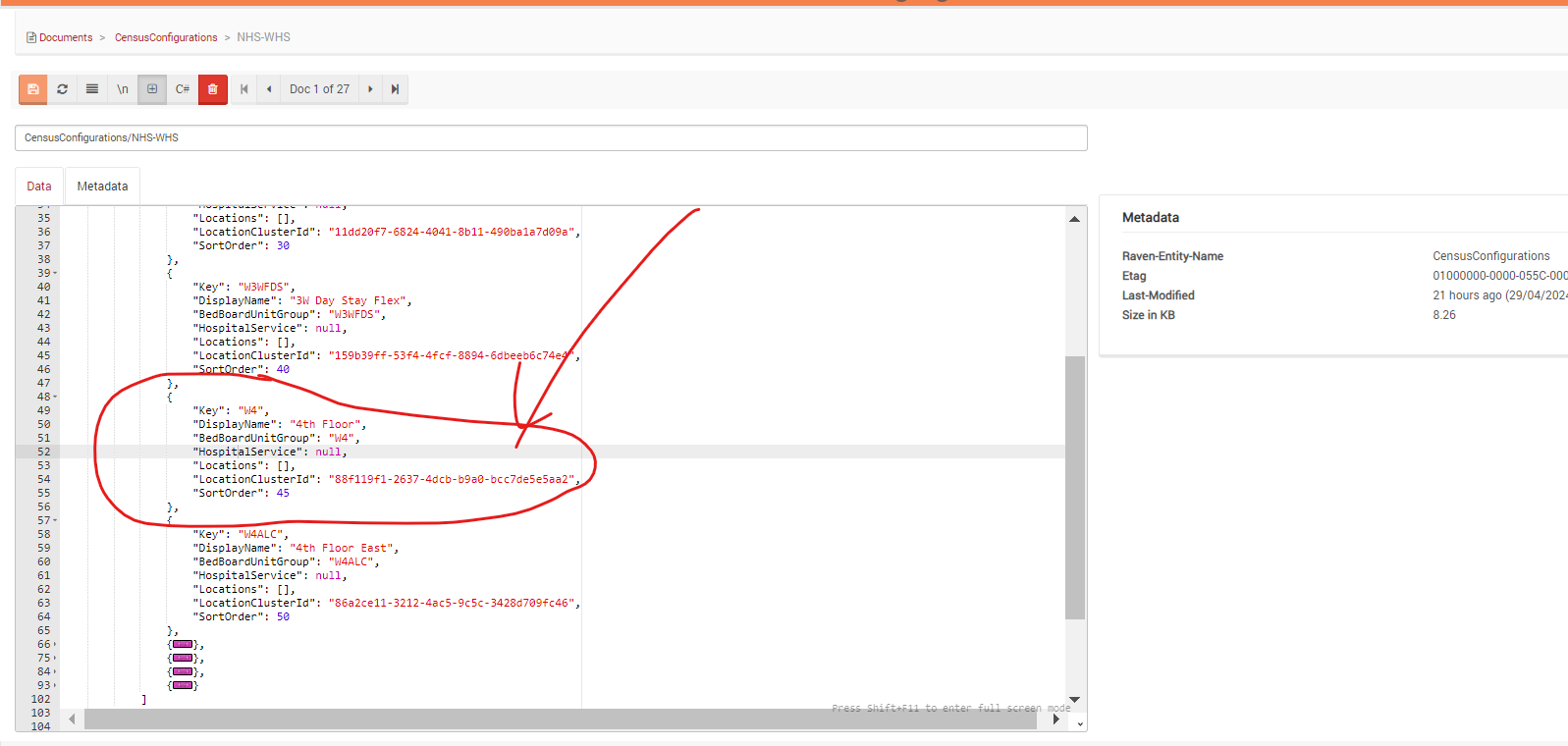
And select the sort order as a "in-between" number ( Middle of two units if upper unit 40 and the lower unit has the order as 50 then order has to added as 45)
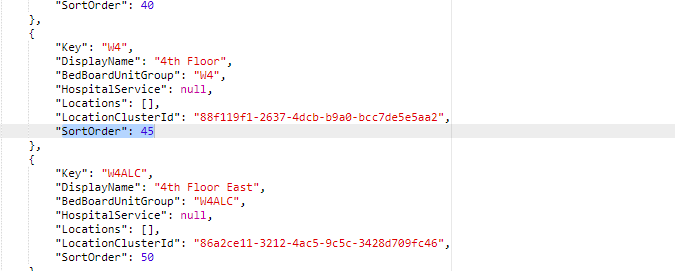
Then the unit will be added in the performance as per the correct Alphabetical/Numerical order
Adding beds to the location Selector
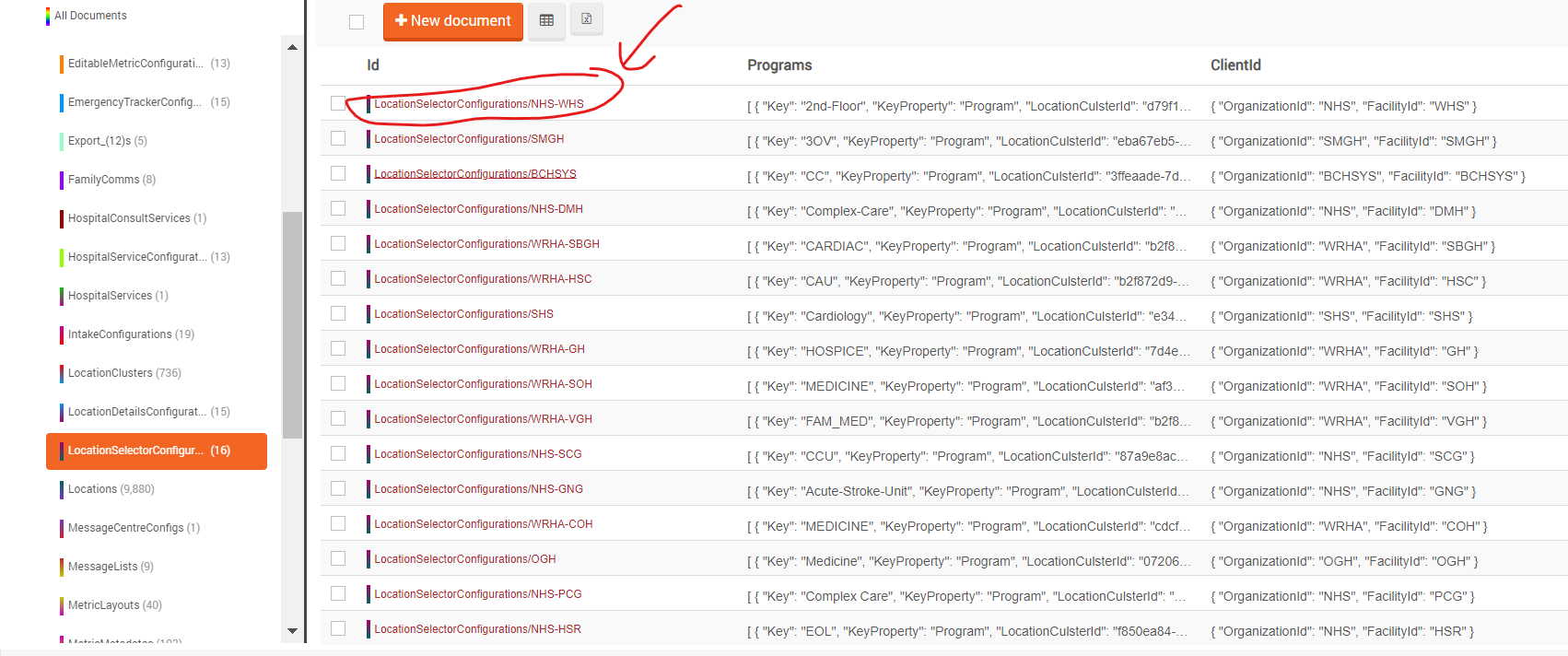
In Performance DB Select the location >Location Selector configuration then click on the unit which the beds needs to added to the location selector (Ex: NHS WHS)
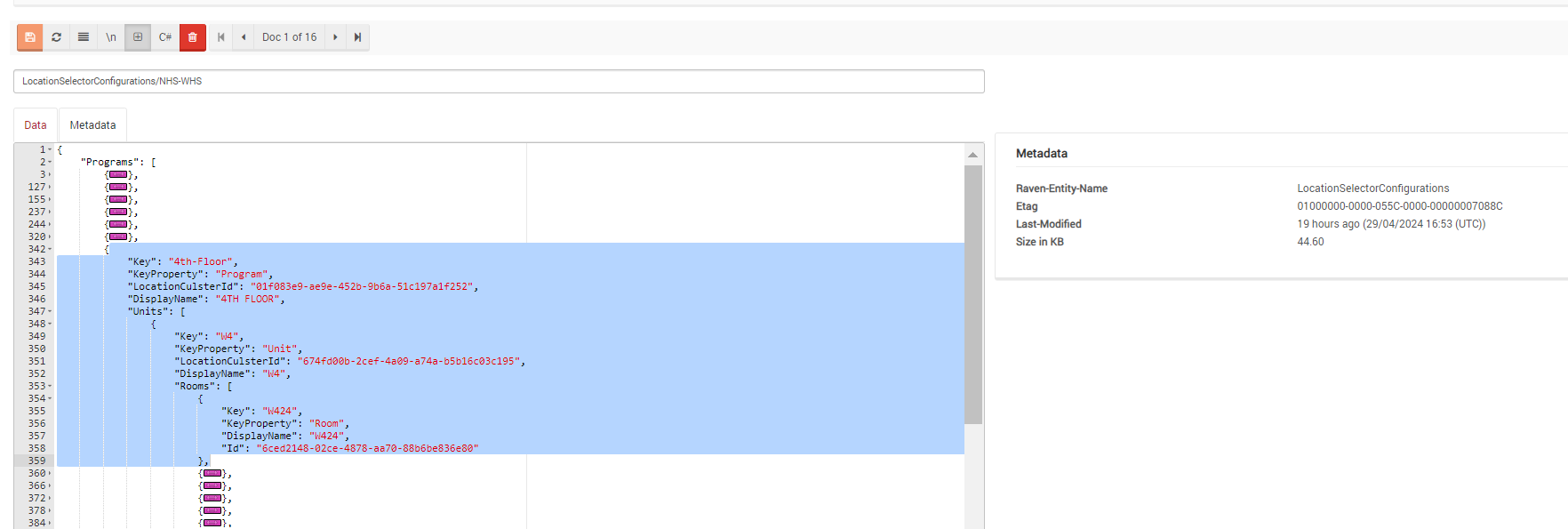
Then Expand the "Programs" add the bed one by one ( Use any GUID generator to get the Location and bed ids )
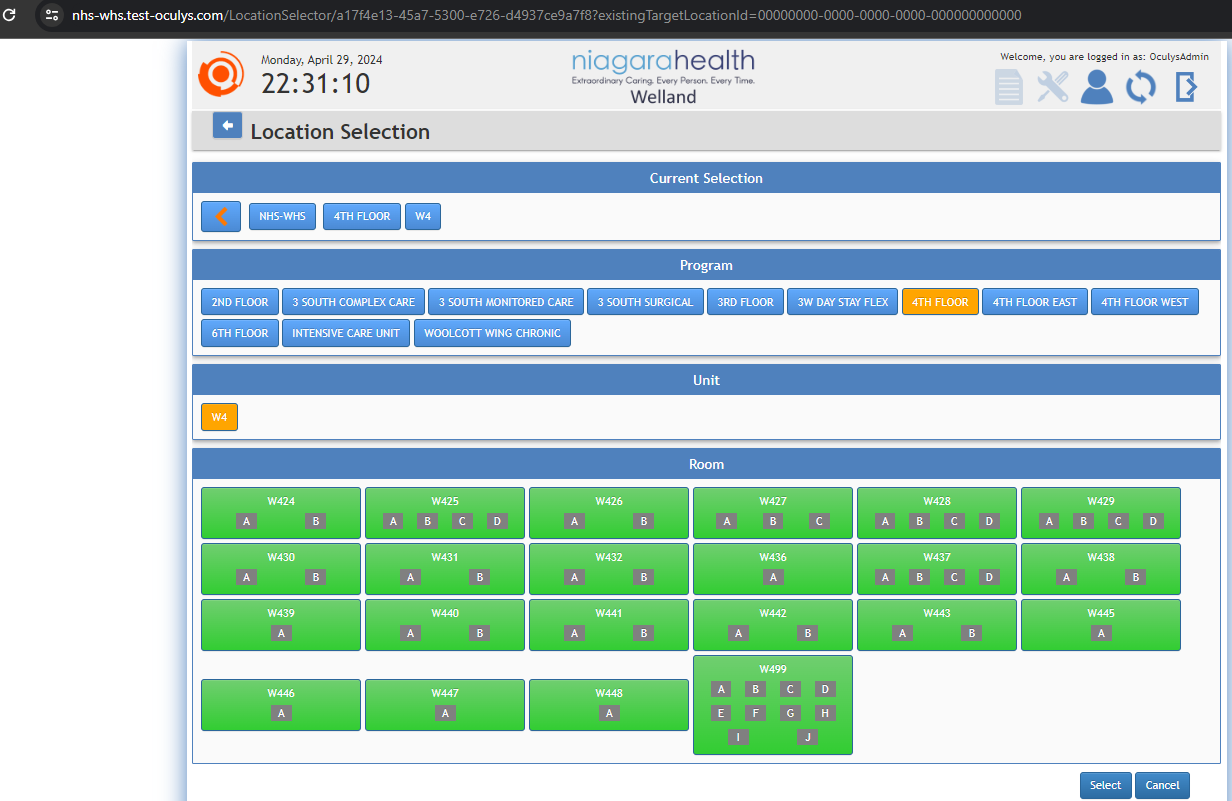
Then verify the location Selector in the performance
Reference Ticket : https://hinext.freshdesk.com/a/tickets/134061