
1. If the patient not showing error reported just check the recently added certificate (In here example as below)
a.Navigate to Certificates (Local Computer) > Personal > Certificates and ensure the hospital IT has placed the web server certificate.
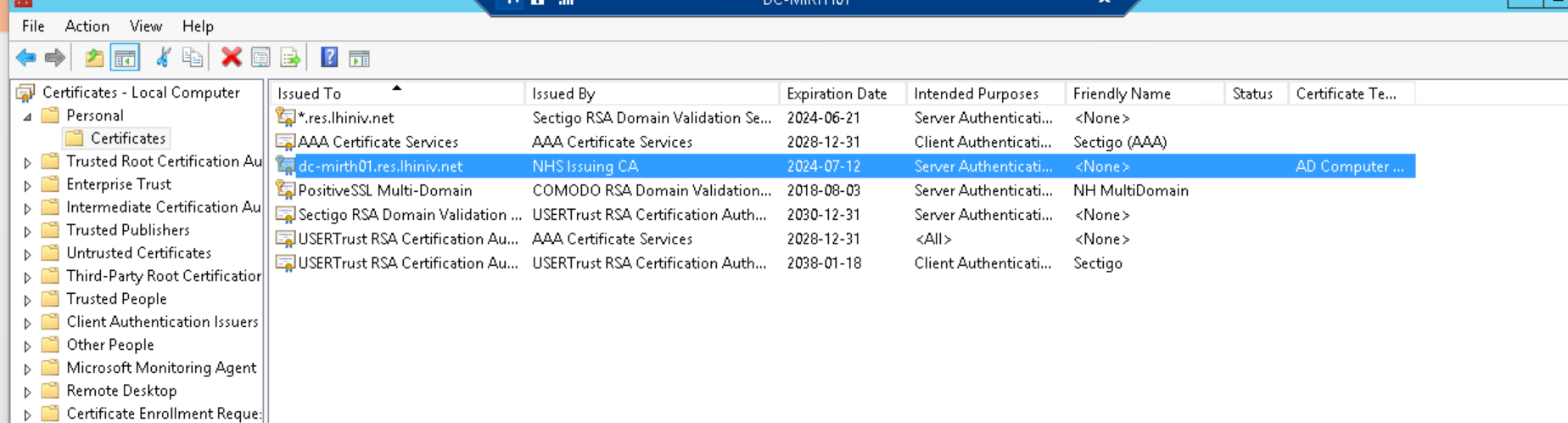
b. Double click on the certificate and click the Detail tab. Copy the "Thumbprint" value at the bottom of this list to a notepad and remove all the spacing between the digits. This will be used to bind the certificate to the port.
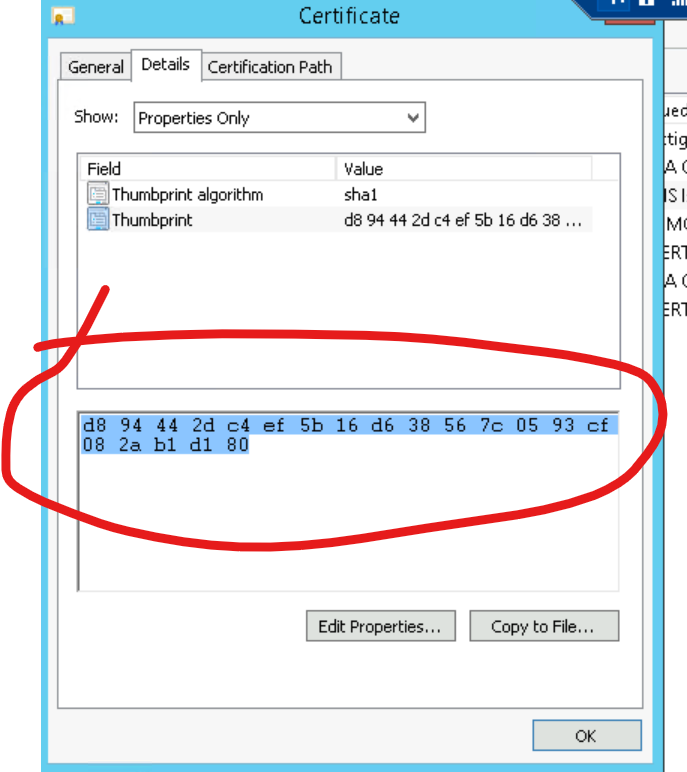
Kindly note while running remove all the square brackets ([])
And obtain the local machine ip by pinging the command "ipconfig /all"
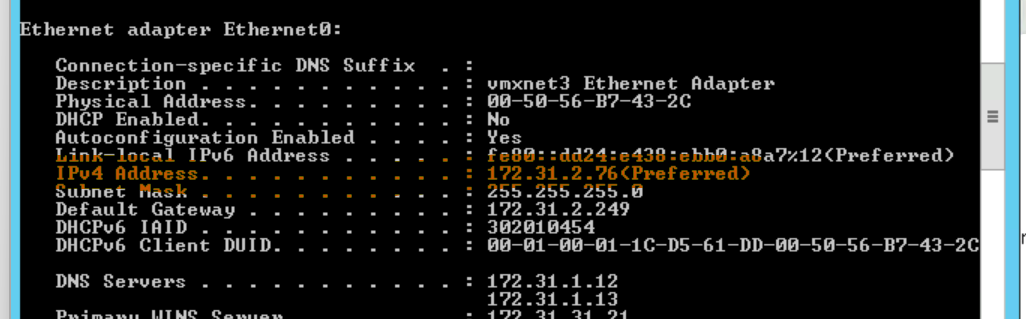
3.Check if certificate is already exist with the same IP address. If so, it might display error message like this: SSL certificate add failed, Error 183.

then Delete the old one using this command: netsh http delete sslcert ipport=[Ip address]:9999 (remove the square brackets before running the cmd [] )

Then again run the CMD and check the Oculys performance whether the patients names are visible
netsh http add sslcert ipport=[local machine ip address]:9999 certhash=[The thumbprint from 2e without any spacing] appid={00000000-0000-0000-0000-000000000000}
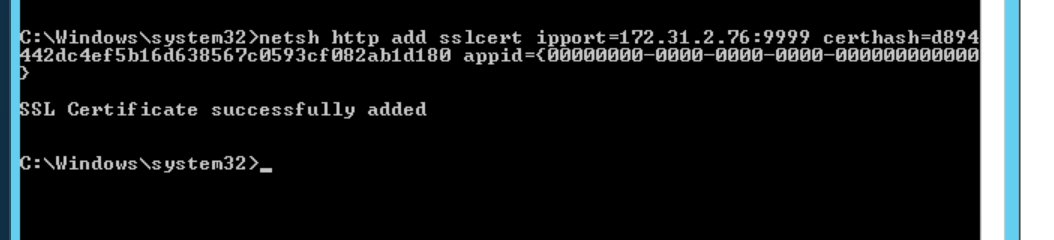
Kindly note while running remove all the square brackets ([])
based on the wiki document
https://oculys.atlassian.net/wiki/spaces/TEC/pages/19264509/PHI+Service+Configuration